What is TMUX ?
TMUX is a terminal multiplexer that allows you to manage multiple terminal sessions within a single window. It enables you to create, access, and control multiple terminal sessions from a single screen, making it easier to multitask and organize your work in the terminal. This becomes useful when running multiple programs with a single connection, such as when you are connected to a remote server via SSH.
TMUX’s speed and flexibility make it a fantastic tool to manage multiple terminals on your local machine, similar to a window manager. Some great TMUX features include:
- Fully customizable status bar
- Multiple window management
- Splitting window into several panes
- Automatic layouts
- Panel synchronization
- Scriptability, allowing one to create custom TMUX sessions for different workflows
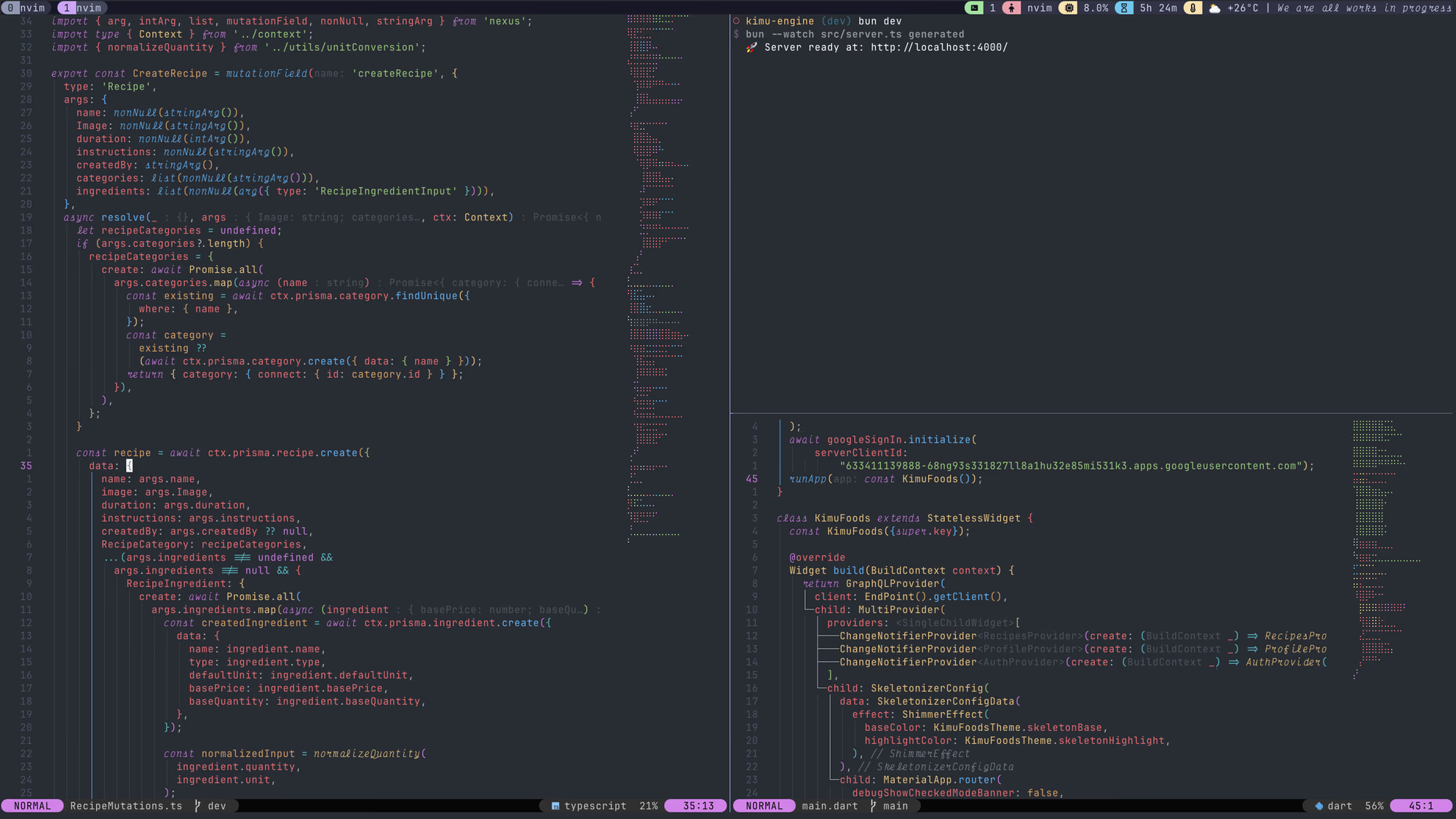
Hers’s an example of my customized TMUX session.
For more information on TMUX, check out the official documentation. As well as the following Youtube videos.
My focus for today is to share my first open source contribution to the TMUX community, which is a simple TMUX plugin that displays daily affirmations in your TMUX status bar. My inspiration for this plugin came from my personal practice of daily affirmations, which has significantly improved my mindset and productivity. I wanted to bring this positive habit into my TMUX workflow.
Building a TMUX plugin is actually quite straightforward. TMUX plugins are typically written in shell script, which makes them easy to create and customize. Here’s a brief overview of how I built the TMUX Daily Affirmations plugin.
TPM
TMUX has a package manager called TPM (TMUX Plugin Manager). TPM makes it easy to install, manage, and update TMUX plugins. To use TPM, you need to add a few lines to your .tmux.conf file to specify the plugins you want to install.
TPM also provides a guide and example of how to create your own TMUX plugin.
TMUX Daily Affirmations Plugin
The TMUX Daily Affirmations plugin is a simple shell script that fetches a daily affirmation from this API and displays it in the TMUX status bar. The full documentation and source code for the plugin can be found on GitHub.

Conclusion
This being my first open source contribution, I found the experience to be both exciting and rewarding. The response and ideas that I got from the TMUX reddit community were overwhelmingly positive and encouraging. I even got to the top of the TMUX subreddit for a while! With almost 9k views. I also got my first 2 github stars on the project.
I will continue contributing to open source projects and sharing my journey with the community. If you’re interested in trying out the TMUX Daily Affirmations plugin, you can find it on my GitHub. I will also write a follow up post about how to install and configure TMUX, and how to get it to work with Neovim.